
Tools for group buying

For group-buy hosts
Instagram automation tools

Run your group buys more efficiently.

A Kittychat host running a group buy
Scheduled sending

1. Send auto-DMs in bulk at a set time

Handy for announcing the moment a group buy or event opens.
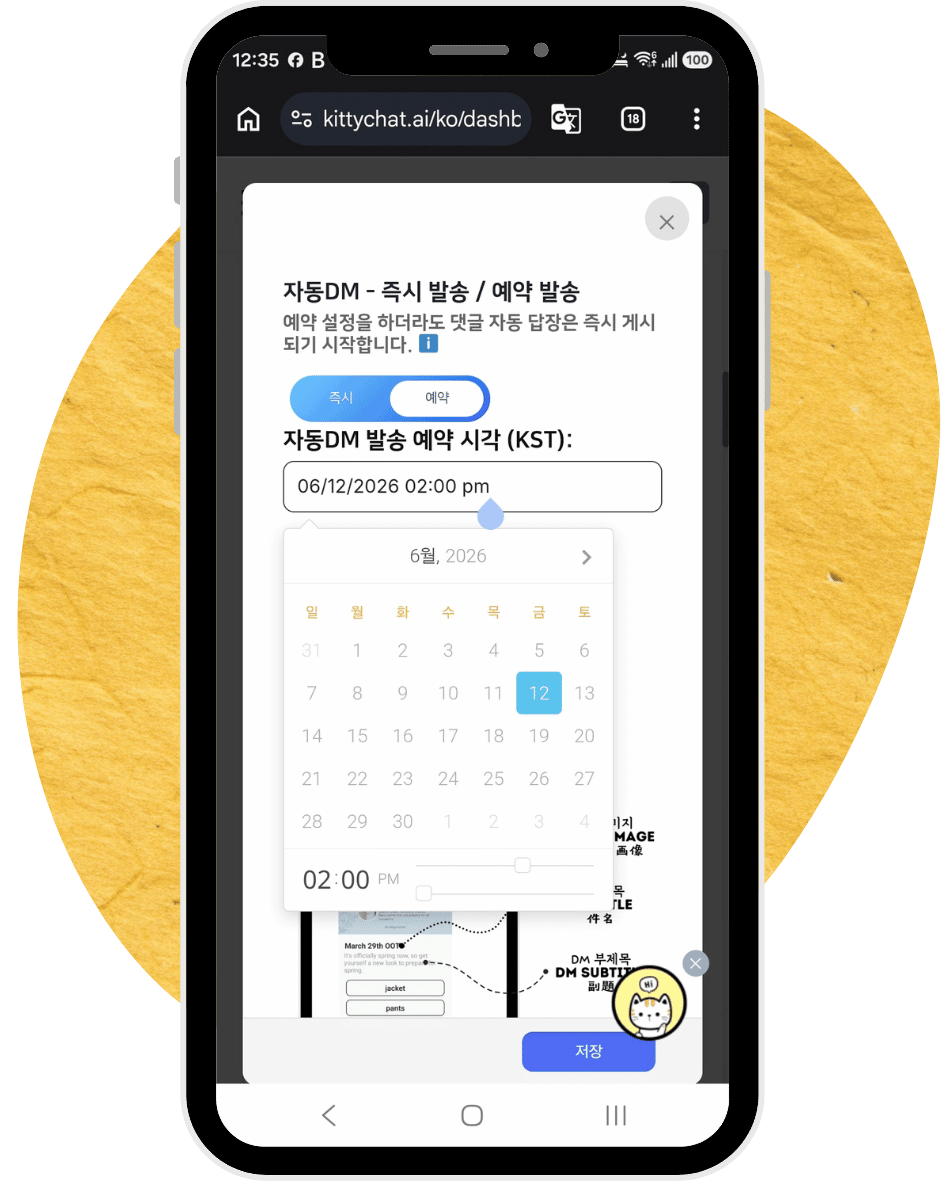
  • When someone comments to request a launch reminder for the group buy or event, the auto-reply posts instantly. Set an auto-reply like “I’ll DM you when the group buy starts.”
  • The auto-DM content is what gets sent in bulk once the group buy or event opens. Prepare something like “The group buy is open — here’s the purchase link: ooo.”
  • You must send the DM within 7 days of receiving the comment request.
  • If the auto-DM has already started ‘sending’, any reminder requests after that receive the auto-DM immediately.
Scheduled sending setup screen
Detects follow status

2. Grow your follower count

Reveal the purchase link on the condition of a follow, and grow your followers.

  • When the group buy opens you send the DM in bulk, but the message inside the DM can be shown based on follow status.
  • Put the link to the group-buy page in the DM so only followers can see it,
  • and show non-followers a message requesting a follow.
  • When they tap the button again, followers see the content; if they still haven’t followed, a follow is requested again.
Learn more
Diversify messages with AI

3. Safer auto-DMs - AI variation

Sending slightly different auto-DMs to each person is safer under Instagram's spam policy than sending the exact same message.

  • OpenAI's AI sends a slightly different version of the message to each person.
  • The original content and links stay intact, while words, line breaks, emojis, and more are varied.
  • Enter [username] and the follower's name is inserted there — or their username if no name is available.

🎈 To try the demo, tap the button below and type 'balance' on the post that appears. *If you don't follow, the DM may land in “message requests.”

Auto-DM & reply delay

4. Safer auto-DMs - time delay

Use the right volume and timing for auto-DMs & auto-replies to run automation more safely.

  • Settings for safe auto-replies:
    1. The range of delay between auto-replies
    2. Auto-replies allowed per hour, per Instagram post
  • For auto-DMs, set the number allowed per hour and the delay between each auto-DM is set to match.

🎈 This system’s auto-reply delay also follows the settings on the ‘Auto-reply’ page.
🎈 If you turn off the switch on the ‘Auto-reply’ page, the group-buy system’s auto-replies also stop.
🎈 The max number of DMs sent per hour in the group-buy bulk send follows the settings on the ‘Group-buy auto-DM’ page.
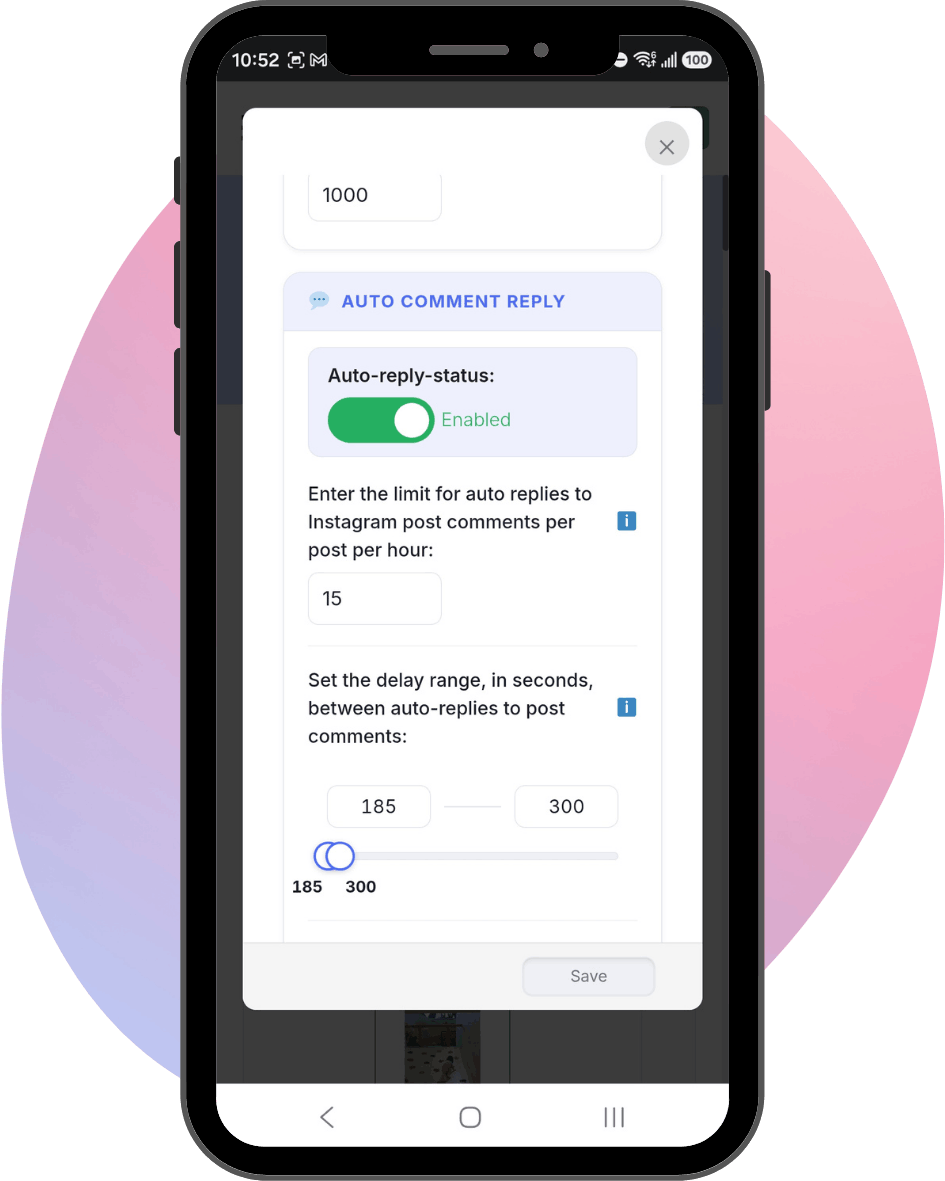
Time delay settings example
Instagram restriction warning system

5. Safer auto-DMs - early warning

Kittychat detects Instagram restriction risk in advance and notifies you by email.
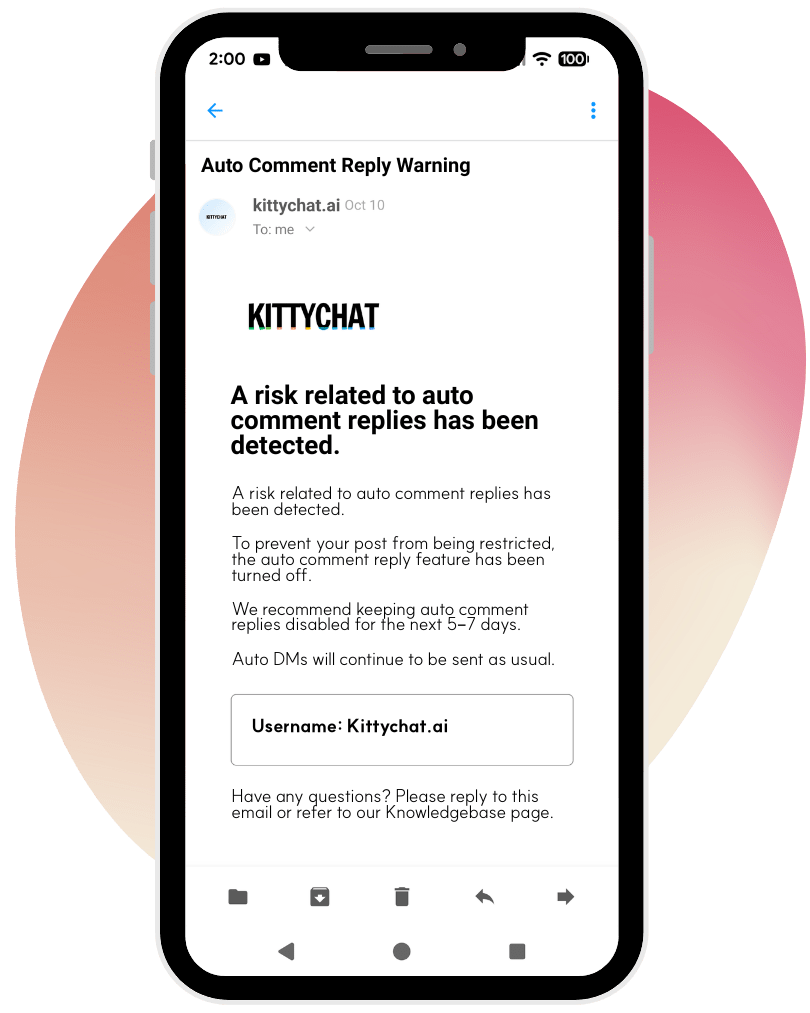
  • If a large volume of auto-replies is posted in a short time, Instagram may treat it as spam, which risks blocking the auto-DM feature too.
  • Kittychat detects Instagram's risk signals in real time 🚨, notifies you, and immediately raises the delay between auto-replies to 600 seconds.
  • On the third risk signal, it stops the auto-reply system immediately.
  • Even if the auto-reply system stops, the auto-DM system keeps working normally, so DM requests continue without issue.
Restriction warning system example
Prompt action now

6. Bulk DM sending

Send a bulk DM to people who interacted with you through the features above in the last 24 hours.
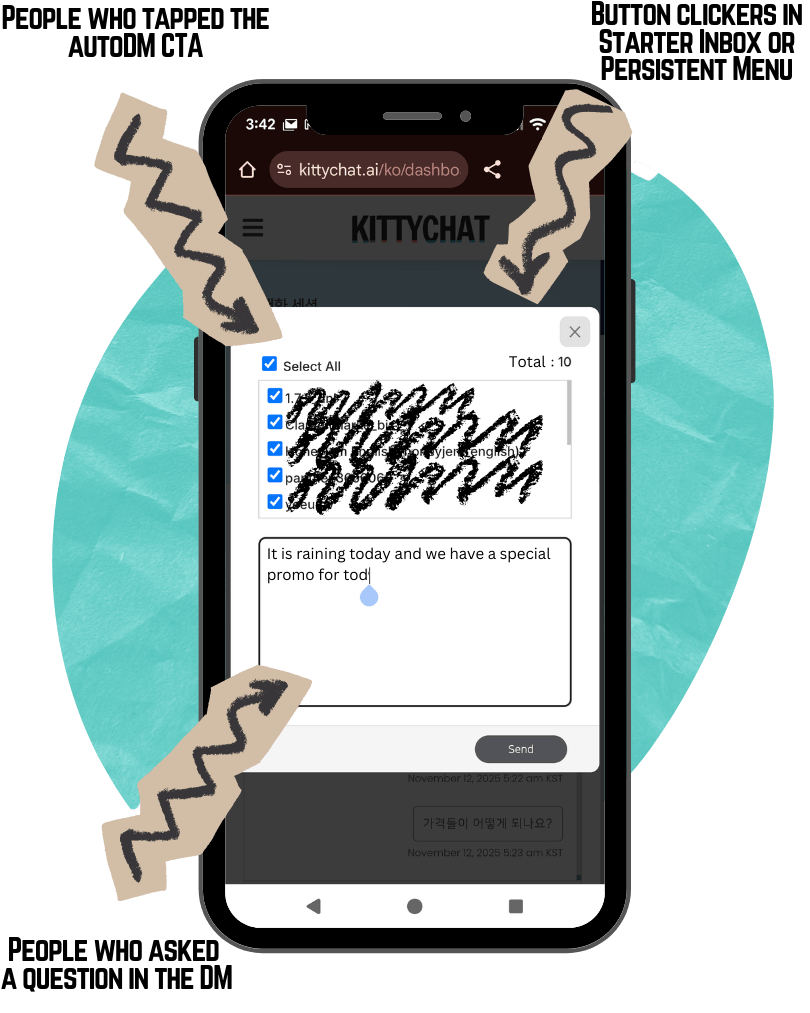
  • You can send a bulk DM for 24 hours to followers who clicked a button in a message, asked a question, or tapped the FAQ button in a DM.
  • It reads like a personally sent DM, not a mass email.
  • Messages land in the “Primary” folder, so recipients get a phone notification.
Bulk DM sending example